Starting a podcast used to imply a shopping list: a studio microphone, an audio interface, acoustic foam, and editing software that cost more than the microphone. None of that is required anymore. Most successful podcasts begin with a laptop, a decent microphone, and free or low-cost software. This guide walks through what you actually need, what you can skip, and how to get episodes in front of listeners without spending money on marketing.

What You Actually Need to Get Started
Before buying anything, it helps to separate the essentials from the extras. A podcast needs three things: a way to record clear audio, a way to edit it, and a place to publish it. Everything else — branding, a dedicated recording space, multiple microphones for guests — can wait until the show has found its footing.
A Microphone That Won’t Break the Bank
The single most important piece of gear is the microphone, because listeners will forgive a lot of production roughness but not muddy or distorted sound. You don’t need a broadcast-grade condenser mic to start. A USB microphone in the affordable range will outperform a laptop’s built-in mic by a wide margin and is more than adequate for a first season of episodes.
If you’re recording solo, one USB microphone is all you need. If you’re interviewing guests in person, a second inexpensive microphone or a USB mic with multiple input jacks works fine. For remote interviews, each guest can use their own microphone or even a decent pair of earbuds with a built-in mic — sound quality will vary, but tools discussed later can help clean that up.
Headphones, Not Speakers
A basic pair of closed-back headphones is worth having. Monitoring your recording through headphones instead of listening through your laptop speakers helps you catch background noise, clipping, or a poorly positioned mic before it becomes a problem in the edit. Any comfortable over-ear pair will do; there’s no need for studio-grade monitoring headphones when starting out.
A Quiet Room Instead of a Studio
Acoustic treatment panels are nice but not necessary. A small room with soft furnishings — a closet, a bedroom with carpet and curtains, a car with the engine off — will absorb echo far better than a bare-walled office or kitchen. Recording under a blanket fort or surrounded by pillows sounds unusual but genuinely reduces reverb. The goal is simply to avoid hard, flat surfaces that bounce sound back into the microphone.
Software for Recording and Editing
This is where a budget-friendly podcast setup really pays off, because most of the software creators need is free.
Recording Software
If you’re recording solo at your computer, Audacity is a free, open-source option available on Windows, Mac, and Linux that handles both recording and editing. For remote interviews, many hosts record calls directly through video conferencing tools, though the audio quality from those platforms is often compressed. A better approach for interviews is to have each participant record their own audio locally and send the file afterward — this is sometimes called double-ender recording. There are free and low-cost tools built specifically for this that also handle the file transfer automatically.
Editing Software
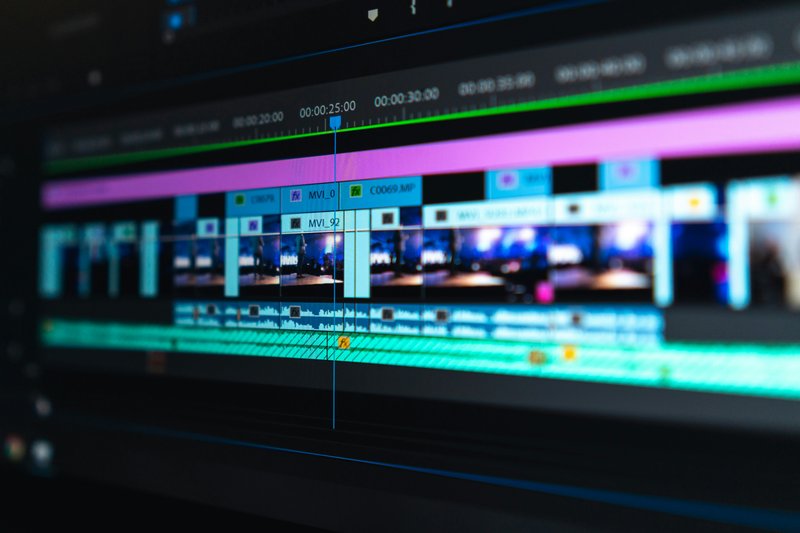
Audacity remains a solid free choice for editing: cutting dead air, removing filler words, adjusting volume levels, and adding an intro or outro. GarageBand is a free alternative for Mac users. As a show grows, some creators move to paid software with more advanced noise reduction or multitrack editing, but none of that is necessary for a first season. Learning to trim silences, normalize volume so quiet and loud sections are more consistent, and add fade-ins and fade-outs will cover most of what a new podcast needs.
Free or Cheap Noise Cleanup
Background hum, room echo, and inconsistent volume between speakers are common problems for beginners. Audacity includes a noise reduction tool that can reduce a steady hum from a fan or air conditioner. Some free web-based tools also offer basic audio cleanup, useful when a guest’s recording came in quieter or noisier than yours. These tools won’t fix a bad recording entirely, but they can make an amateur setup sound noticeably more polished.
Choosing a Hosting Platform
A podcast needs a host — a service that stores your audio files and distributes them to directories like Apple Podcasts, Spotify, and others through an RSS feed. This is different from a video hosting site; podcast hosts are built specifically for audio distribution and feed generation.
Free and Low-Cost Hosting Options
Several hosting platforms offer free tiers or inexpensive entry-level plans, typically with limits on how many hours of audio you can upload per month or how long episodes stay available. These free tiers are usually sufficient for a new show testing the waters. As downloads grow, most creators eventually move to a paid plan for unlimited storage and more detailed listener analytics, but there’s no need to pay for that from day one.
What to Look for in a Host
When comparing platforms, check that the service:
- Distributes automatically to major directories like Apple Podcasts and Spotify
- Provides basic download and listener statistics
- Allows you to export your RSS feed if you switch hosts later
- Has a clear, published pricing structure with no hidden fees for exceeding storage limits
Avoid locking into a long-term contract before you know whether the show will continue past a handful of episodes.
How to Start a Podcast on a Budget: Putting It Together
With a microphone, headphones, free editing software, and a hosting account, the entire technical setup can cost very little. The bigger investment is time: planning episodes, recording consistently, and editing enough to sound professional. Many first-time podcasters spend more money than necessary because they assume better gear will make up for underdeveloped content or an unclear show concept. In practice, a clear focus and consistent release schedule matter more to listeners than pristine audio.
Growing an Audience Without a Marketing Budget
Getting a podcast made is only half the challenge — getting people to listen is the other half. Fortunately, audience growth doesn’t require paid advertising.
Make the Podcast Easy to Find
Write clear episode titles and descriptions that explain what a listener will get, rather than clever titles that require context to understand. Include relevant keywords naturally in your show and episode descriptions, since podcast directories use this text for search.
Lean on Existing Networks
Share new episodes with friends, colleagues, and any existing social media following, even if it’s small. Ask early listeners to leave a rating or review, since reviews can influence how directories surface a show to new listeners. If you interview guests, ask them to share the episode with their own audience — this is often the fastest way to reach new listeners without spending anything.
Repurpose Episodes Into Other Formats
A single episode can be turned into a short audio clip for social media, a written blog post summarizing key points, or a quote graphic. This gives people multiple ways to discover the show without recording additional content.
Be Consistent Before Being Everywhere
It’s tempting to try to be active on every social platform, submit to every directory, and pitch every possible collaboration at once. A more sustainable approach is to publish on a consistent schedule and pick one or two promotion channels to focus on well, rather than spreading effort thin across many.
Conclusion
Launching a podcast doesn’t require a studio budget. A basic USB microphone, a pair of headphones, free editing software, and a modest hosting plan cover the technical essentials. The rest comes down to planning good episodes, editing them with care, and sharing them consistently through the networks already available to you. Equipment can always be upgraded later once a show has found its audience — starting is the part that matters most.